Table
A table shows information in columns and rows. Sower offers three variations of a table.
This component is based on USWDS.
Table (Standard - Responsive)
On mobile-sized screens, this table will display vertically.
| Header 1 | Header 2 | Header 3 | Header 4 | Header5 |
| text | text | text | text | text |
| text | text | text | text | text |
| text | text | text | text | text |
Optional caption
How to author:
-
In the DA menu, go to Library > Blocks > Table and select Table (Standard - Responsive).
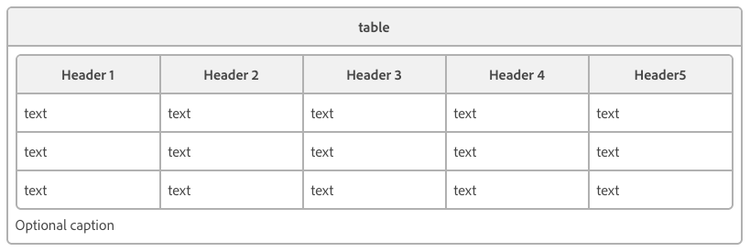
Table (Scrollable)
On mobile-sized screens, this table will remain horizontal and be scrollable.
| Header 1 | Header 2 | Header 3 | Header 4 | Header5 | Header6 | Header7 |
| text | text | text | text | text | text | text |
| text | text | text | text | text | text | text |
| text | text | text | text | text | text | text |
Optional caption
How to author:
-
In the DA menu, go to Library > Blocks > Table and select Table (Scrollable).
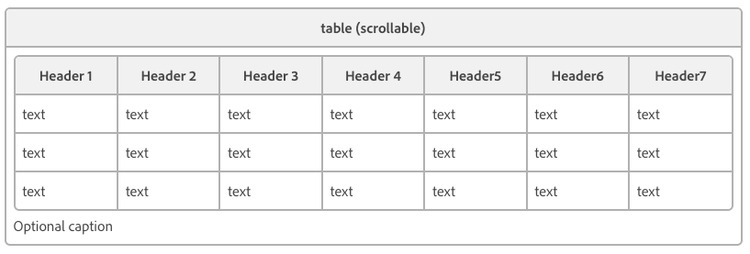
Table (Scrollable - Column Heading)
On mobile-sized screens, this table will remain horizontal and be scrollable. All rows in the first column will be styled as headers.
| Header 1 | Header 2 | Header 3 | Header 4 | Header5 |
| text | text | text | text | text |
| text | text | text | text | text |
| text | text | text | text | text |
Optional caption
How to author:
-
In the DA menu, go to Library > Blocks > Table and select Table (Scrollable).
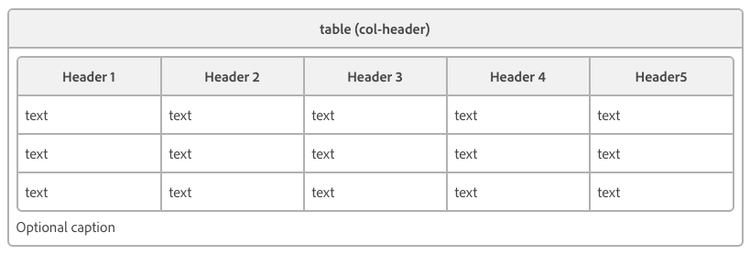
Table (Sortable)
This table allows users to reorder rows in ascending or descending order by clicking column headers. You can sort columns by date, month, position(1st, 2nd, etc.), numeric value, or alphabetical order.
| Month | Percent | Count | Rank (Cardinal) | Unix Timestamp | State |
| March | 20.6% | 23,612 | 3rd | March 27, 2012 | Alaska |
| April | 2.6% | -32 | 1st | April 9, 2021 | Arizona |
| January | -3.6% | 0.002 | 2nd | January 20, 2021 | Utah |
| December | -300.6% | 0 | 4th | December 16, 2020 | Hawaii |
Optional caption
How to author:
-
In the DA menu, go to Library > Blocks > Table and select Table (Sortable).
OR
-
Select any tables in the DA menu, then add sortable to parentheses, and separate classes with a comma
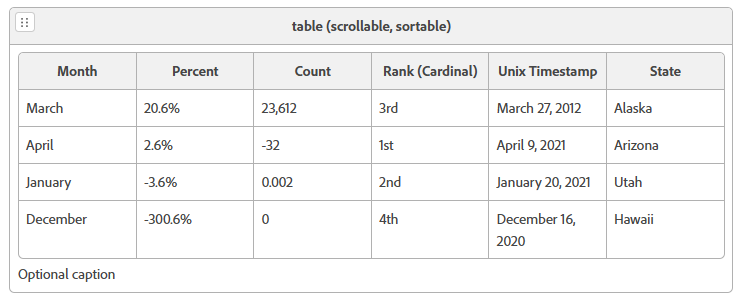
Table (Searchable)
The Searchable Table is a useful block that allows users to search data within the table by typing in a value into a search field at the top of the table.
| Month | Percent | Count | Rank (Cardinal) | Unix Timestamp | State |
| March | 20.6% | 23,612 | 3rd | March 27, 2012 | Alaska |
| April | 2.6% | -32 | 1st | April 9, 2021 | Arizona |
| January | -3.6% | 0.002 | 2nd | January 20, 2021 | Utah |
| December | -300.6% | 0 | 4th | December 16, 2020 | Hawaii |
Optional caption
How to author:
To create a Sortable Table while editing a webpage, click on the DA menu and navigate to Library > Blocks > Table. From the dropdown, select “Table (Searchable).” This will add the table to your webpage.
Additionally, you can select any table from the DA menu, and then add “searchable” in parentheses to the “table” class, separating it from the “table” class with a comma (e.g.: “table (scrollable, searchable)”)
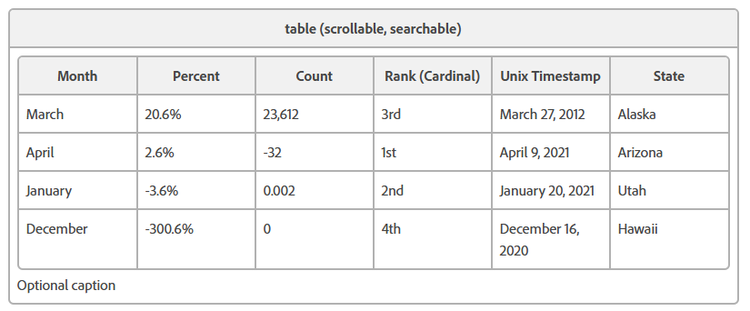
Table (Dynamic)
The Dynamic Table is unlike the above tables. While the others require manual data entry, the Dynamic Table can pull information from a targeted JSON (JavaScript Object Notation) file.
| Title | Description | Tags | Body | LastModified |
| title | description | tags | body | lastModified |
Optional caption
How to author:
- In the DA menu, go to Library > Blocks > Table and select Table (Dynamic).
OR
-
Select any tables in the DA menu, then add dynamic to the parentheses, and separate classes with a comma (e.g.: “table (scrollable, dynamic)”).
-
Within the first row, add a link to the source JSON file.
-
In the table header, type in the text that you would like to be displayed as the table header.
-
Within the table row, type in JSON file properties that you want to be associated with the corresponding header.
(Optional) You can create a link for the table fields to one of the JSON properties by clicking on the DA toolbar > edit link > manually type the property name from the JSON file in the URL field > OK. -
(Optional) Add filters to the data by inserting rows with three columns. The first column specifies the JSON property to filter on, the second column indicates the filter operator from the list below, and the third column provides the criteria value for filtering. Multiple filters can be used. The available operators are:
- = (Equal to)
- > (More than)
- < (Less than)
- != (Not Equal to)
- >= (More than or Equal to)
- <= (Less than or Equal to)
- contains (Includes a specified text)
- before (Before a specified date)
- after (After a specified date)
- current (Now or after)
- past (Before the current date)